#ProductFeatures#
2.89k View
247 Discuss
Here you can find the latest updates of FOLLOWME Product features!


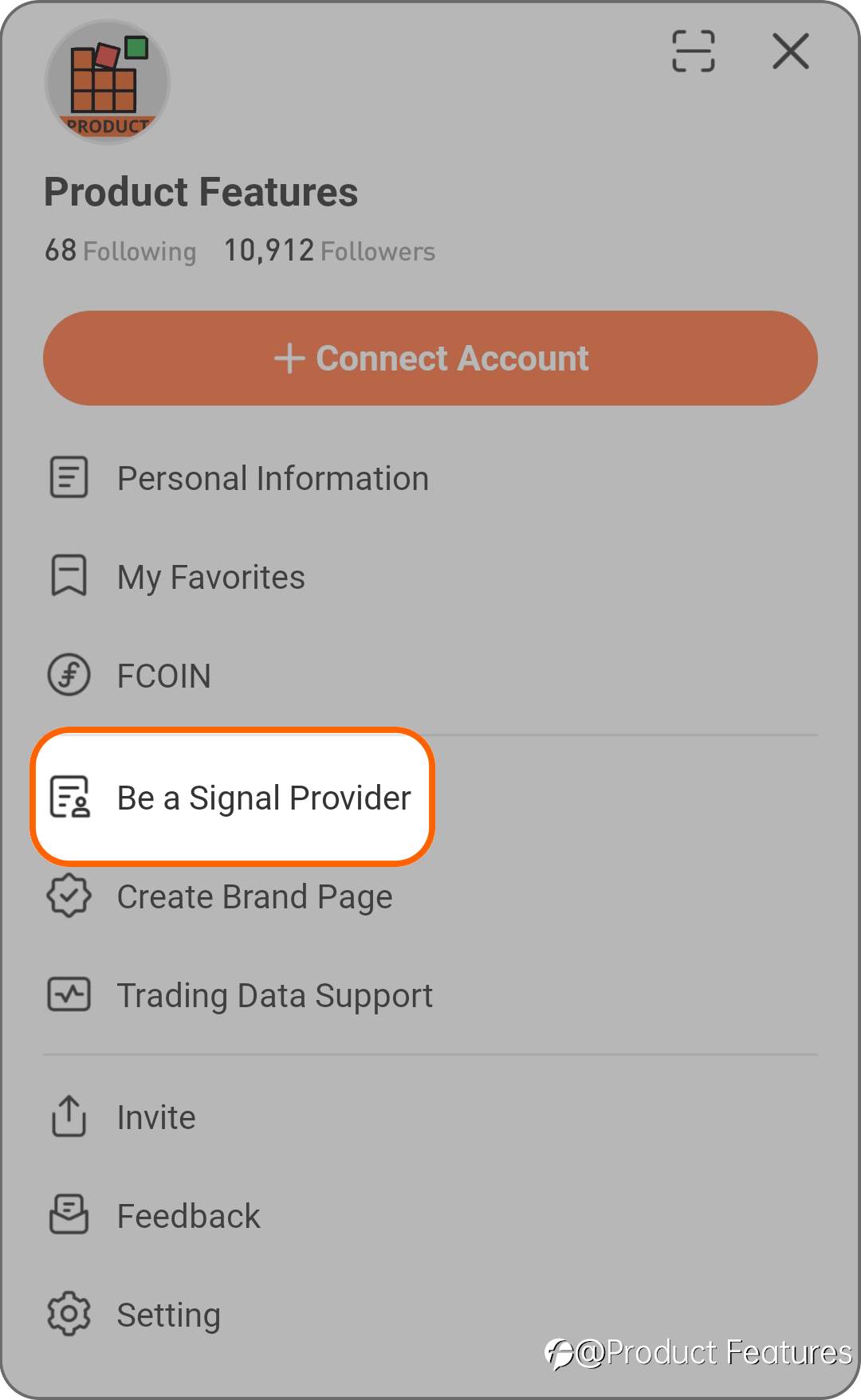
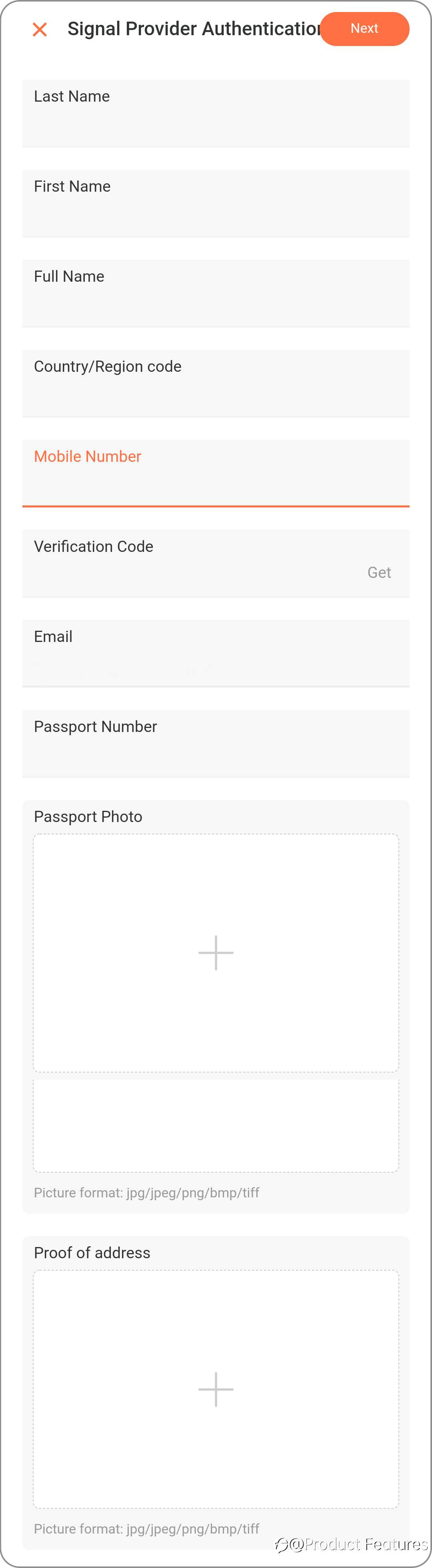
How To Become a Signal Provider on FOLLOWME?
Signal Provider Application Conditions 1, Before applying for a signal provider, real-name authentication must be completed, and the real-name information of the trading account must match the real-name authentication information. 2, No subscribing orders. 3, For API accounts, once the real-name ver

- Valentina :This is really good
- Martin1997 :they said this is to protect followers right , because some traders may remove bad performance account , and only remain profitable one. I think this is reasonable.
- unlax :This is the only copy trading platform I know that don't allow non-USD accounts, which is weird bcos it is not technically difficult to do it. I have a huge SGD account that would score 10 points on C...
FOLLOWME Explanation of Signal-Ranking Eligible Brokers List
The signal list is a comprehensive display of community trading signals based on key data such as signal provider income, copy trade profit, subscription fees, total subscriptions, account ranking, etc, and is an indispensable tool for community copy traders to filter signals. So far, FOLLOWM

 20.00 reward
KVB 中文服务 
- John against :https://sso.followme.hk/regist...
- ajmiri sorkar :https://sso.followme.ceo/regis...
How to Use Note and Post
Just like on any social network, you can post your own updates, share posts to your feed, comment on others’ posts, or reward the content that you like. Post Posts are limited to 500 characters for any short-form content. Click the empty space in the middle and upper sides of the homepage. Do you wa

Discovery Feed and Hot Topics
Feed The feed displays three sections: Following, Recommended, and Trading Notes. From here you can see the latest posts of the people you are following, the hottest posts in the community, and the trading notes posted by other traders. Move your mouse to the upper right corner, click "…", you can m

Updated Profile Homepage
The new profile page comes together with the brand new account homepage, which is elaborated with "Chart" " Rank" "Subscribe" "Order", bring user experience to a higher level. Good things come in twins. A new profile page will definitely give you an amazing experience while checking out either your
UPDATE: How to Use Message & Group Chat?
With FOLLOWME Message function, you can chat on your computer/mobile to contact the users you care about instantly. If you receive a message that is suspected of being spam or that makes you feel uncomfortable, you can block or report the message. Send and Receive Message 1. Who can I send messages

UPDATE: How to Use Signal Feature
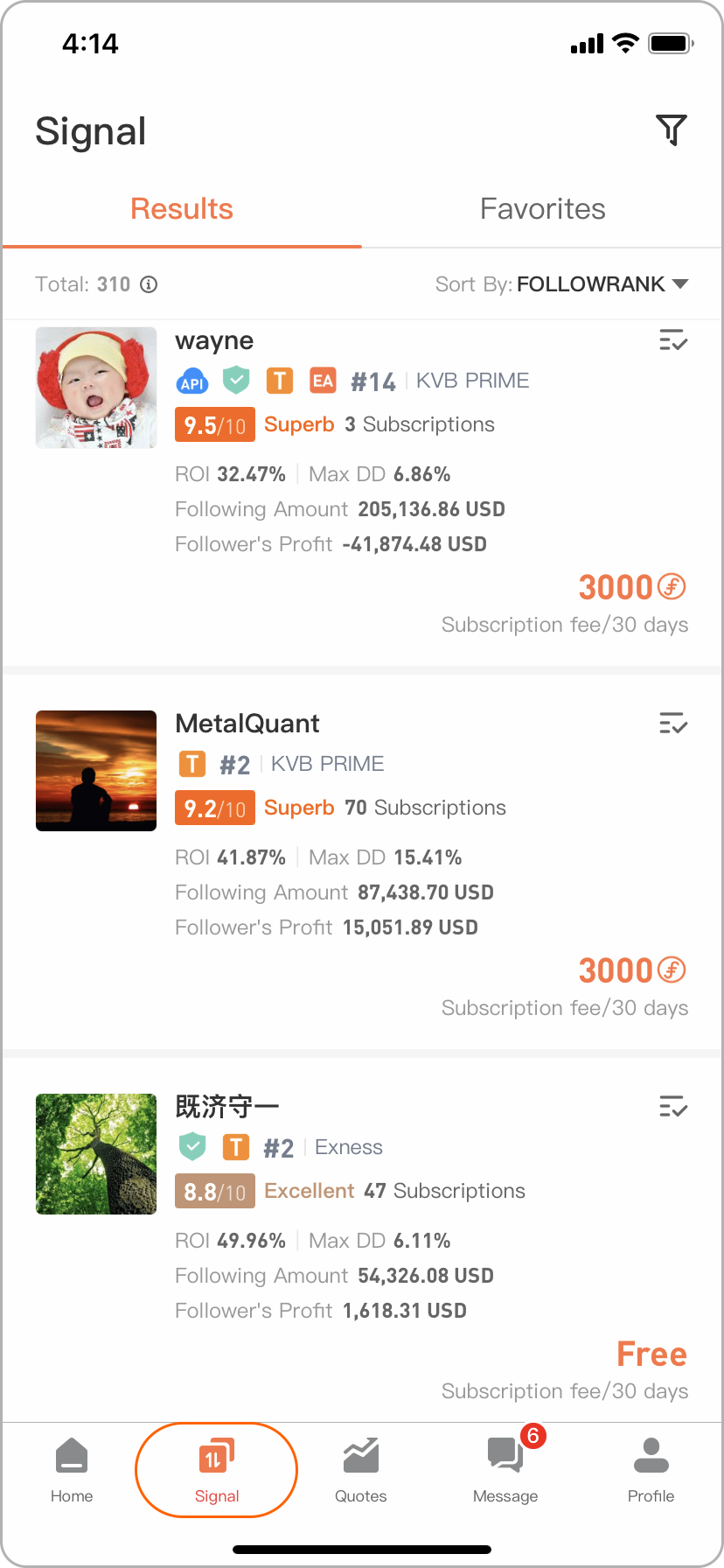
Qualified traders and their performances will be displayed in the ‘Signal’ tab ranked by FOLLOWME algorithm. ‘Signal’ list shows key data of the Trader's account such as Total Profit, subscriber base, and more, making it convenient for you to screen and choose. Note: APP and WEB content operations a
Create Your Page Now!
FOLLOWME Page has been released with both Web and App versions. The Page is designated for Here comes the details about the Page. 1. What information can I get from the Page? The Page includes real-time quotations of broker's 7 major currency pairs, crude oil and gold, which is convenient for you to
UPGRADE: Trading Account Management - Must-Read for MT4 Account Users!
Hi there! Wish you a happy new year! Here comes an upgraded version of trading account management. This is the first important product feature introductions of 2021. The information below is important to all traders and followers, so we strongly advise users to read it carefully. Our features have b



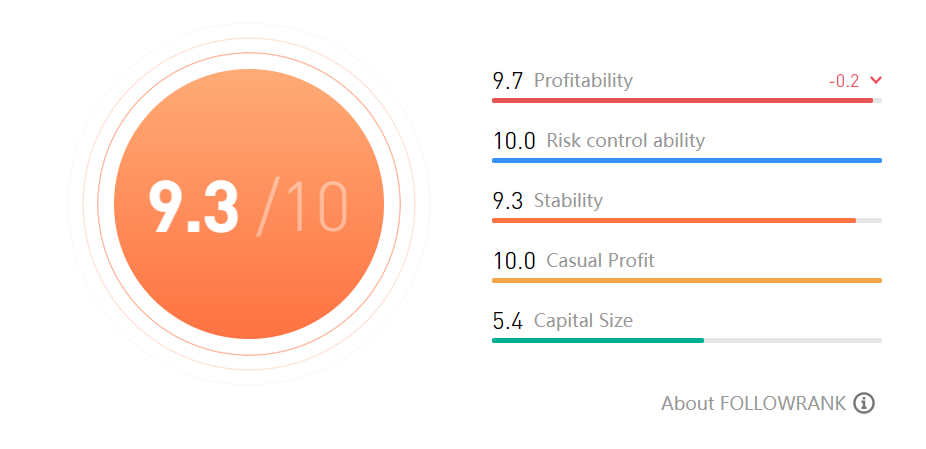
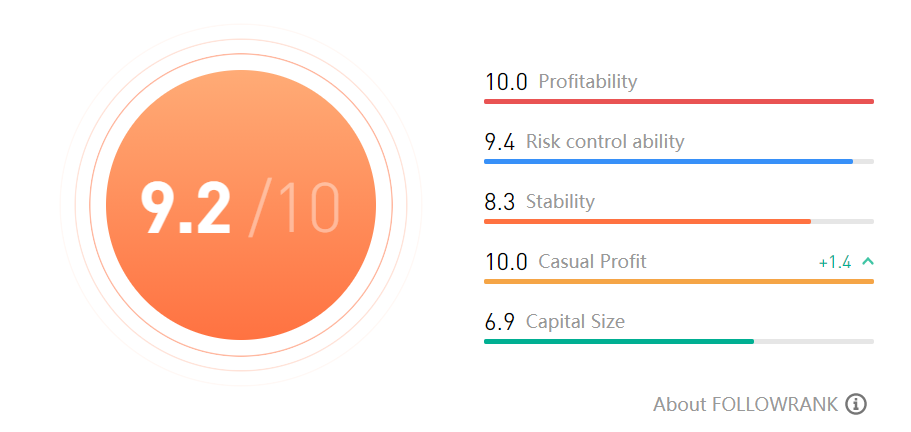
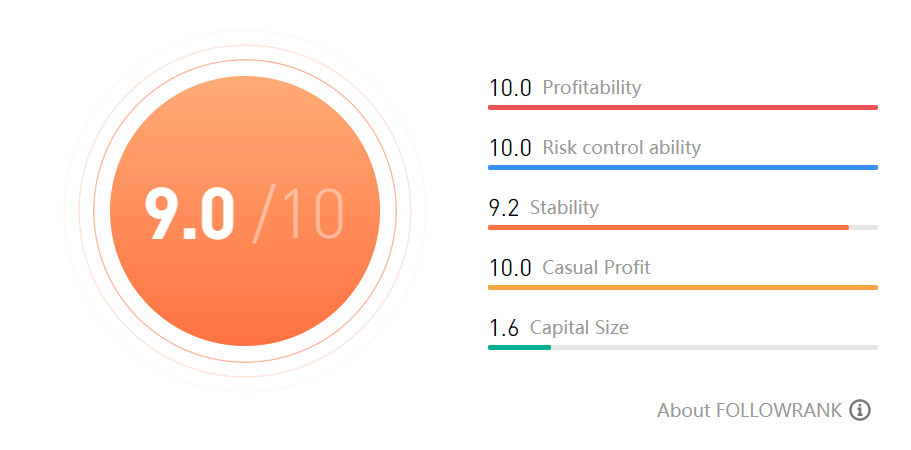
FOLLOWME Top GEM Signals - FOLLOWRANK SCORE
Finding the right Signal to copy trade can be tricky and painful sometimes. But that doesn't mean you have to repeat the same cycle to find yourself a quality trader to follow. With the dynamic filtering feature and sorting function on FOLLOWME Signal tab, you can choose one based on your preference
Đăng ký Tín hiệu Nhà giao dịch (Vietnamese)
FOLLOWME có đến 500,000 nhà giao dịch cung cấp tín hiệu đến từ 170 quốc gia khác nhau. Một khi bạn có tài khoản MetaTrader4 đã kết nối với FOLLOWME, ngay sau đó bạn đã có thể theo dõi các nhà cung giao dịch cung cấp tins hiệu Trước hết, bạn có thể chọn một nhà giao dịch yêu thích, nhấp vào chi tiết
Làm thế nào để sử dụng Tin nhắn & Trò chuyện Nhóm? (Vietnamese)
Với chức năng Tin nhắn FOLLOWME, bạn có thể trò chuyện trên máy tính/điện thoại di động của mình để liên hệ với những người dùng mà bạn quan tâm ngay lập tức. Nếu bạn nhận được một tin nhắn bị nghi ngờ là spam hoặc khiến bạn cảm thấy khó chịu, bạn có thể chặn hoặc báo cáo tin nhắn đó. Gửi và nhận ti

Like It? Reward It!--FCOIN Reward The Post You Like
Hey users, if you have noticed, we have made a few changes in the latest update. First, our news feed layout has been reduced to three channels from the previous four channels into Following, Recommended and Notes. We intend to present you with the most relevant trading content based on your activit

How to Use "Wallet" Feature?
"Wallet" is a feature of FOLLOWME to help you manage your balance and conduct transaction within our service. First of all, you will need to understand the following terms that you would encounter.
( Notes: Taking Apps interface as example, the web interface is very similar)
Points
What are point


Subscribe to Trader Signals
FOLLOWME has over 500,000 trader signals from more than 170 different countries. Once you have MetaTrader4 account to connect with FOLLOWME, then you can subscribe to these trader signals.
First of all, you can select a favorite trader, click into account details via signal list or personal homepag