


As we look forward to the Year of the Tiger, we celebrate the importance of community and are reminded that anything is possible with a little update.
※The IM function on the WEB site had been released!※
From now on, we can chat while looking at the disk on the computer. Besides, the chat record on WEB is synchronized with APP. 30s for you to learn the IM function on the WEB site!
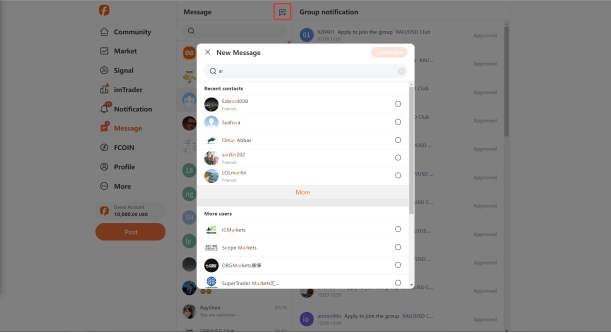
Q: How to start a new chat?
A: Click the "+" sign in the upper right corner of the message list to search for users or group chats and initiate chats.
*Note: Unfollowed users need to follow before they can send messages to each other, and some group chats need to be approved before they can join.
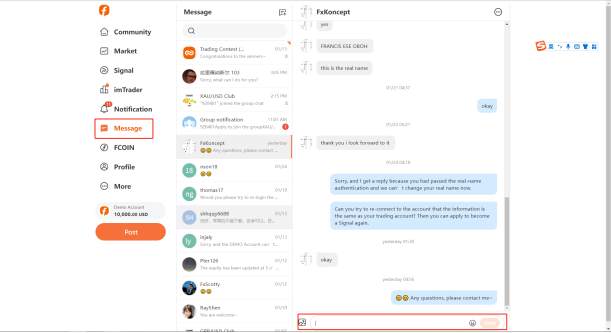
Q: How to send messages on WEB site?
A: The IM function on the WEB site is in the left navigation bar - message. Select a friend or group chat and enter a message at the bottom of the chat page.
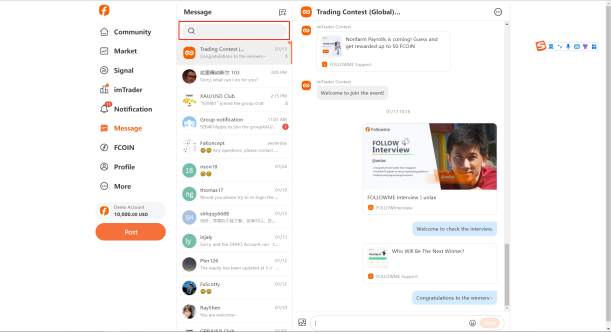
Q: There are too many chat windows, how to quickly find a group or user?
A: Click the search box at the top of the message interface to quickly find groups or friends who have chat history.
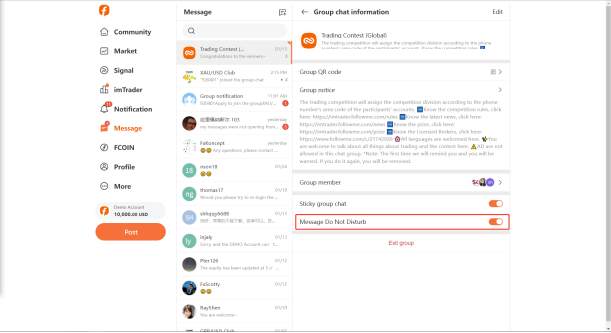
Q: The chat group is too active and is all 99+, what should I do?
A: Click on the upper right corner of the group to set the message DO NOT DISTURB~
Proofreading: Jelly
Disclaimer: The views expressed are solely those of the author and do not represent the official position of Followme. Followme does not take responsibility for the accuracy, completeness, or reliability of the information provided and is not liable for any actions taken based on the content, unless explicitly stated in writing.

Leave Your Message Now