


Trading notes are designated to help traders record and review their orders, which is an essential way to reflect and make progress. Follow this guide to learn how to use this function, it will be of great help to your future trade.
Click here to know more about “Post” and “Note”
App
Step 1 Click “Note”
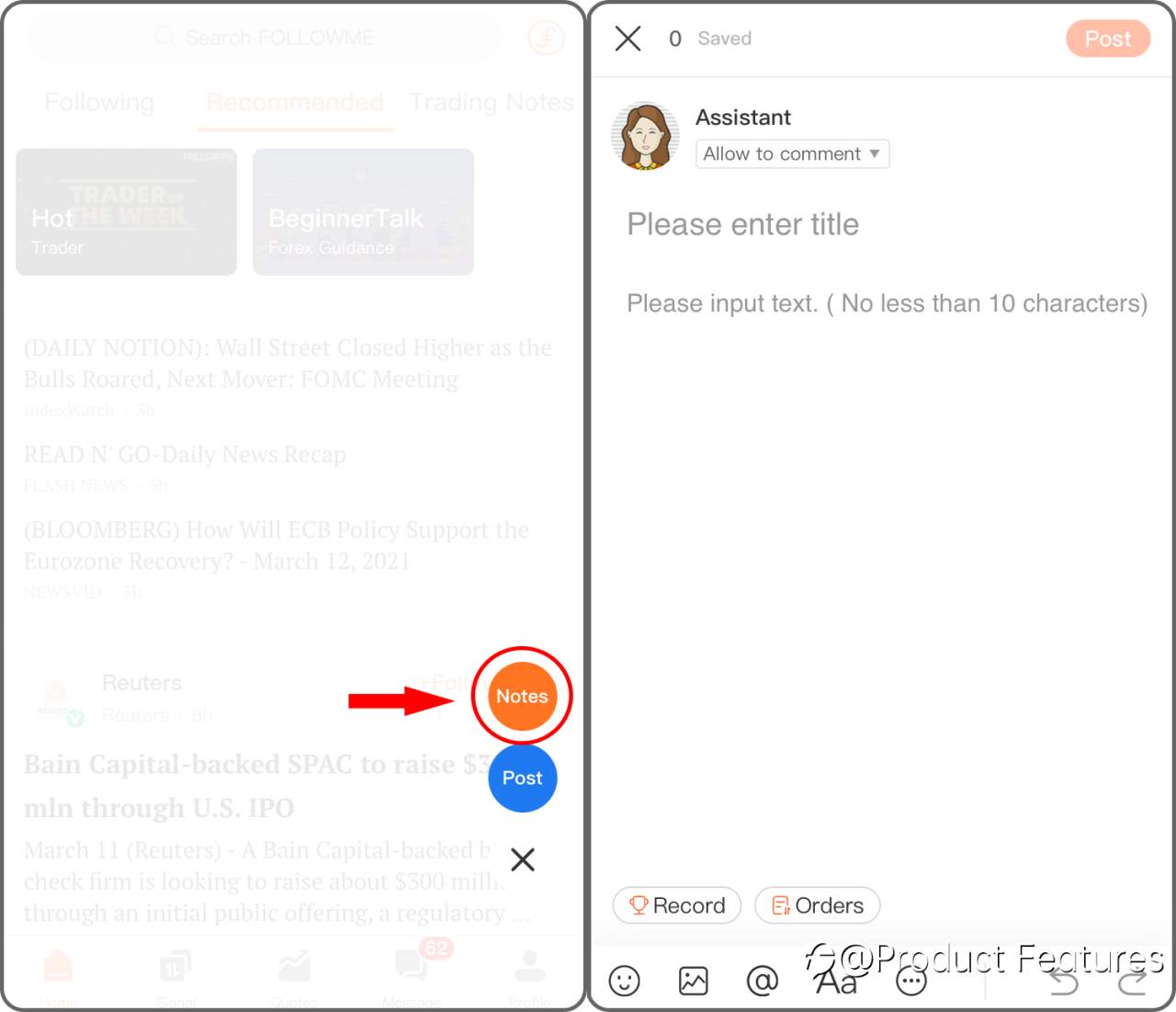
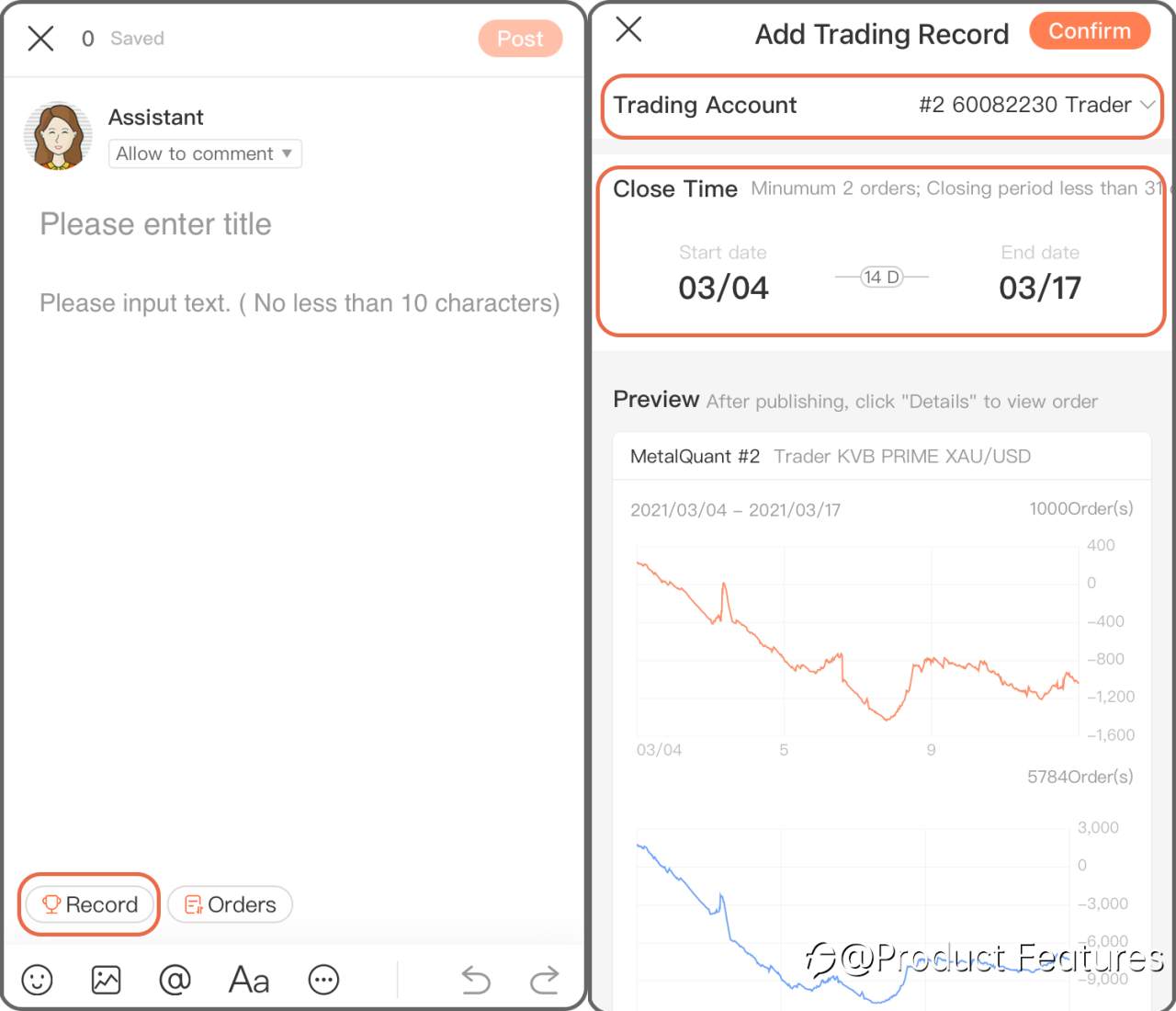
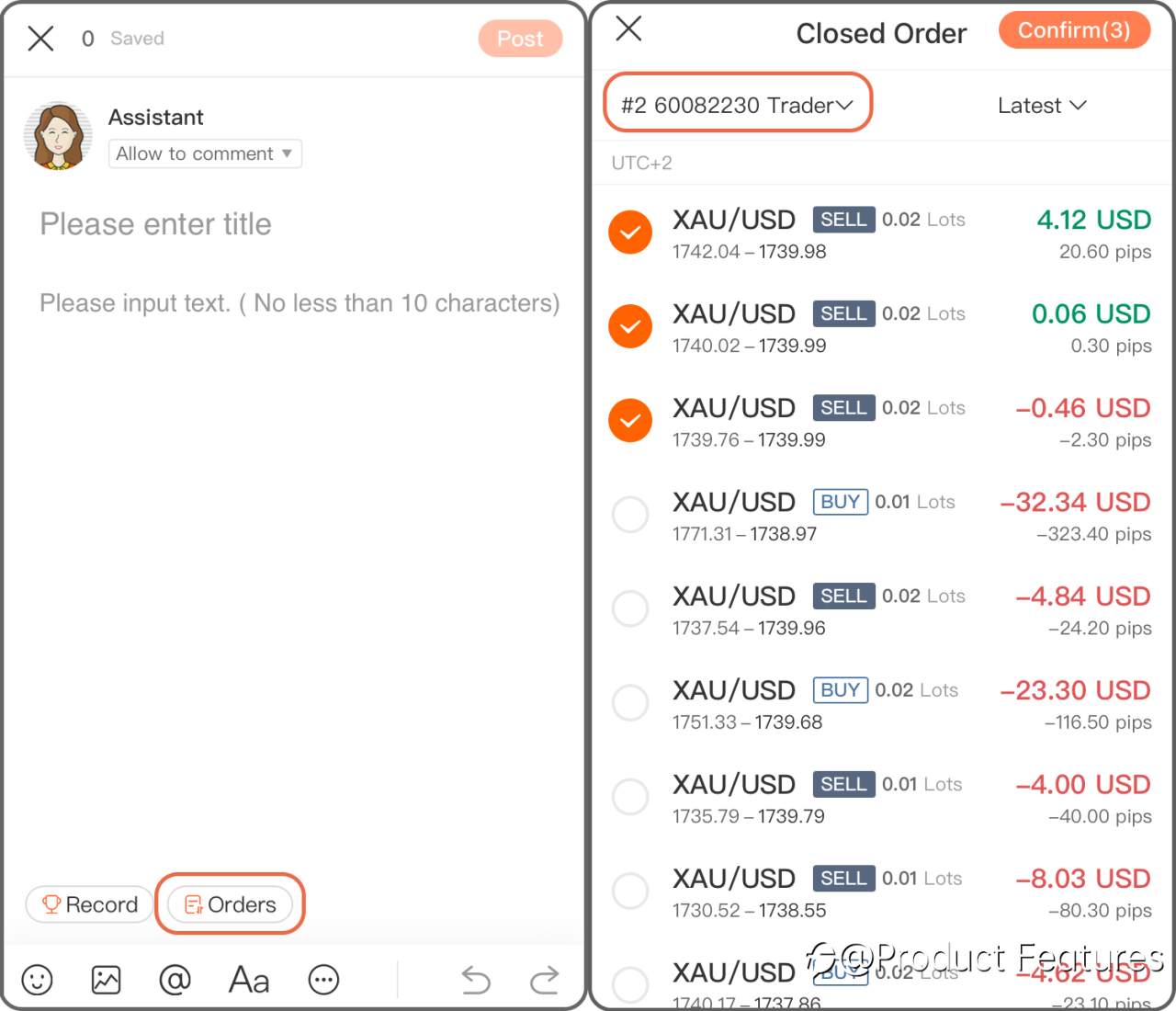
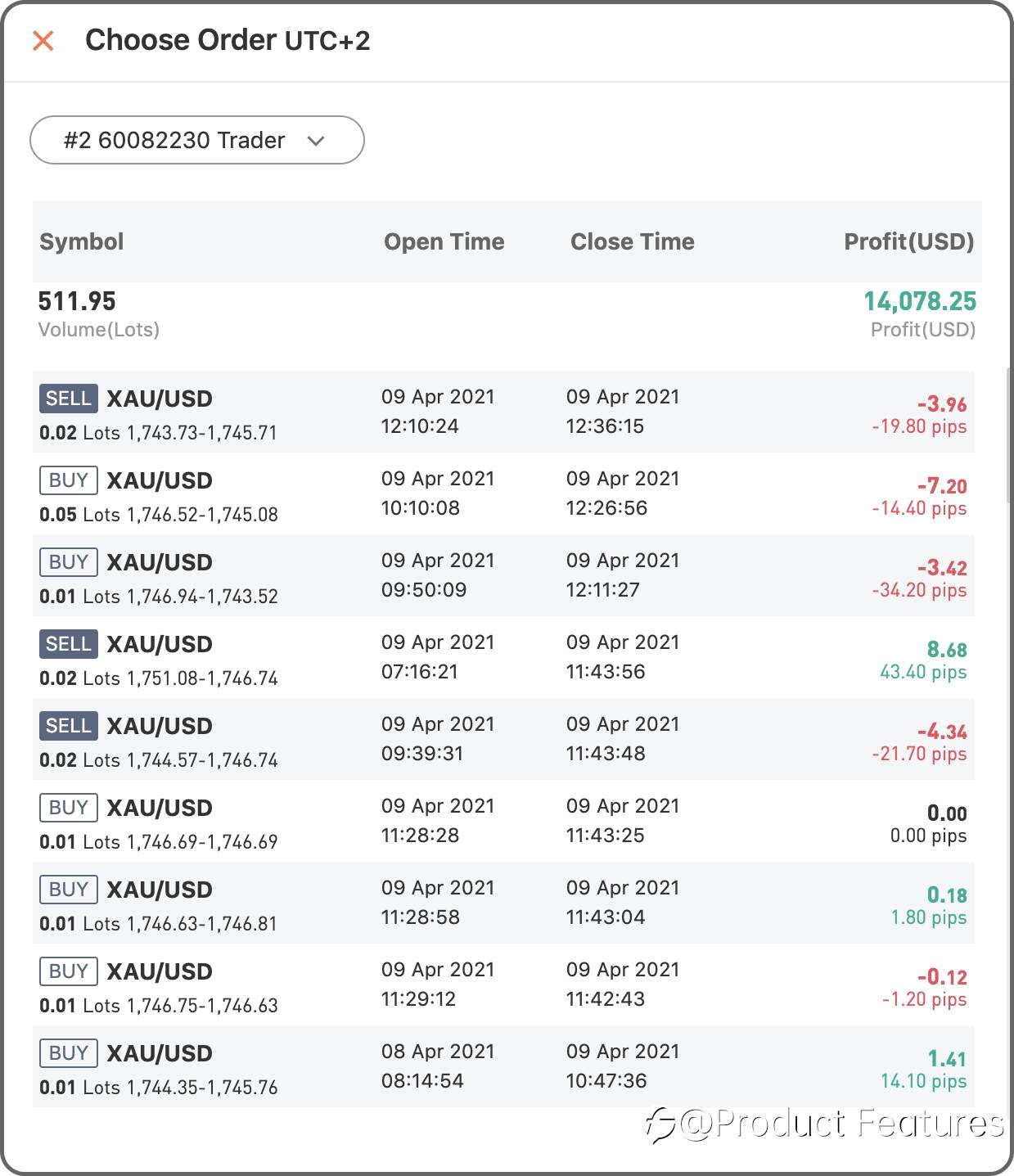
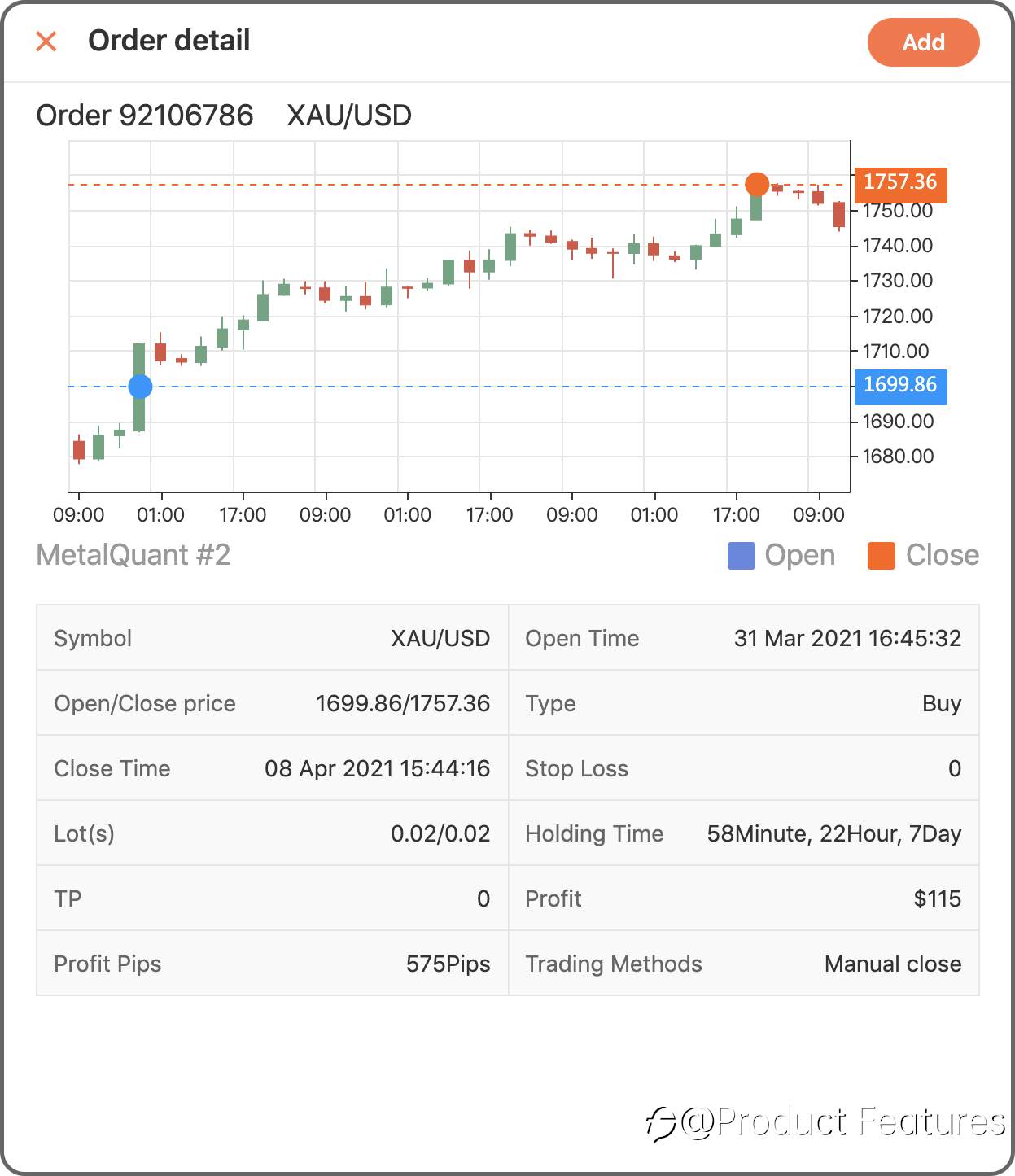
Step 2 Chose “Record” to add a trading history in a period of time; if you only want to add a single order, click “Order” then.
Trading Record: Select a trading account,and choose the date.Minumun 2 orders; Closing period less than 31 days.
Trading Order: Choose a live account and select orders.
Web
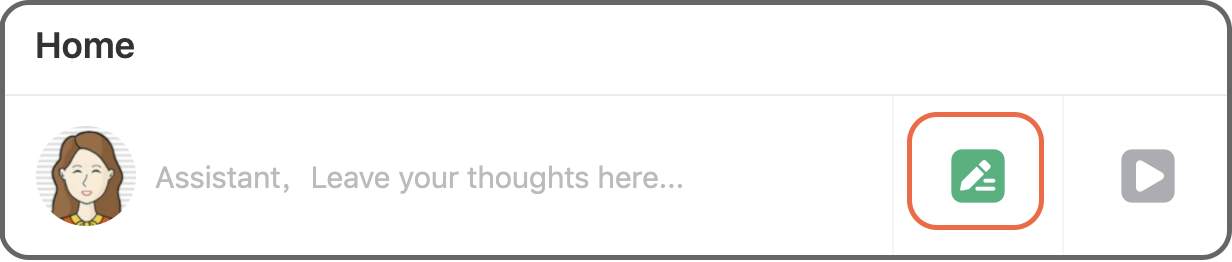
Step 1 Click the green“pencil” button.
Step 2 Click “Record” to insert a trading history in a certain period of time, if you only want to add a single order, click “Order” then.
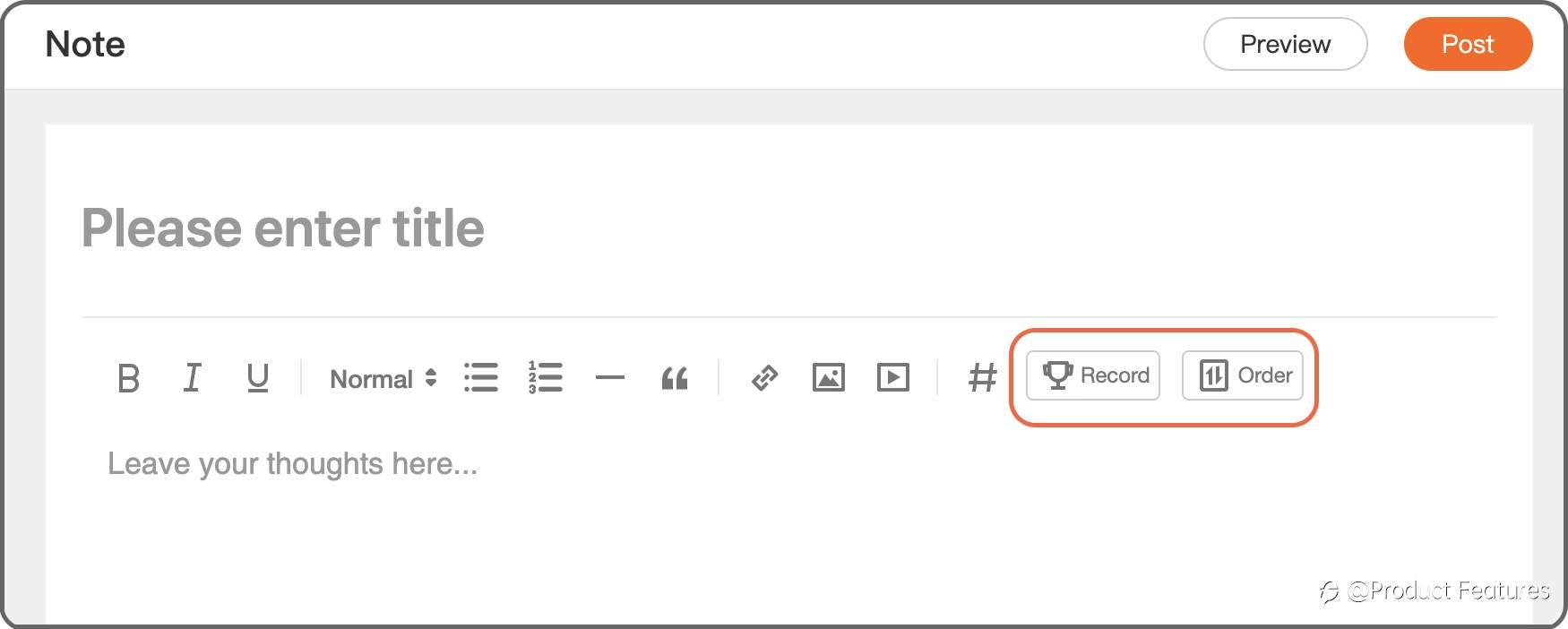
Trading Record: Select a trading account, and choose the date.Minimum 2 orders; Closing period less than 31 days.
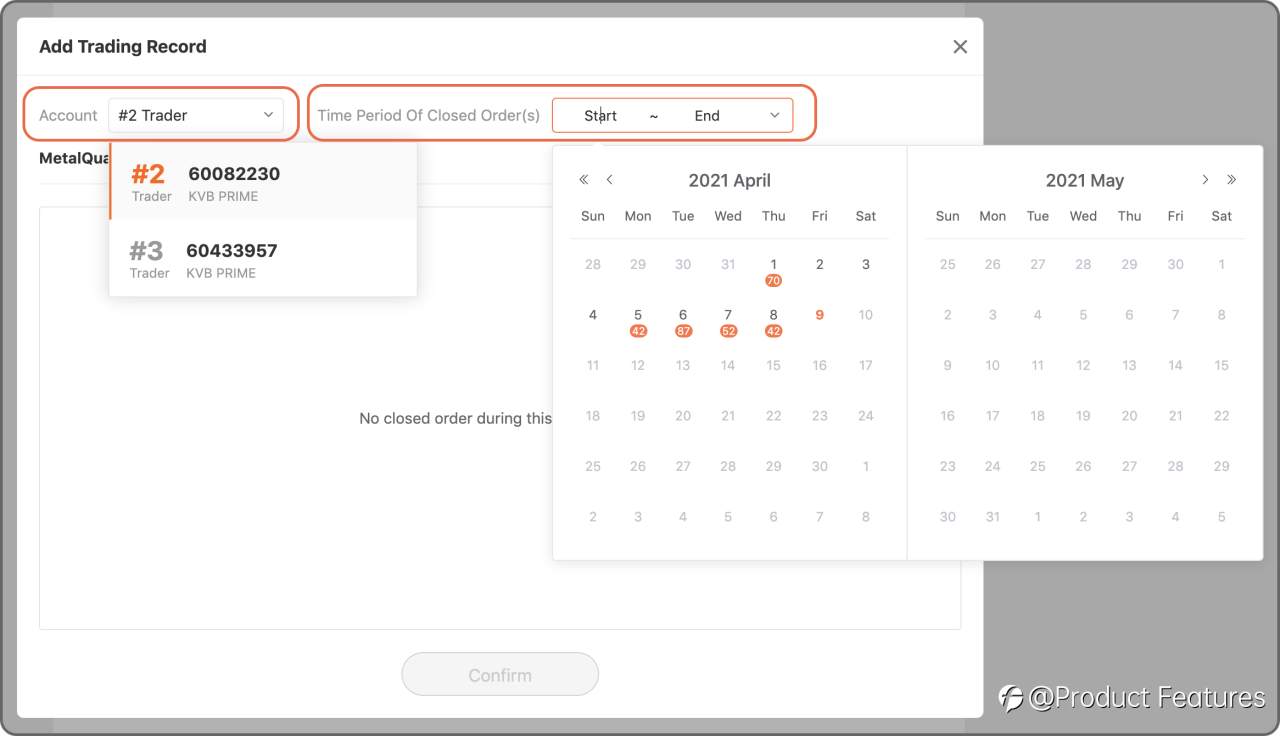
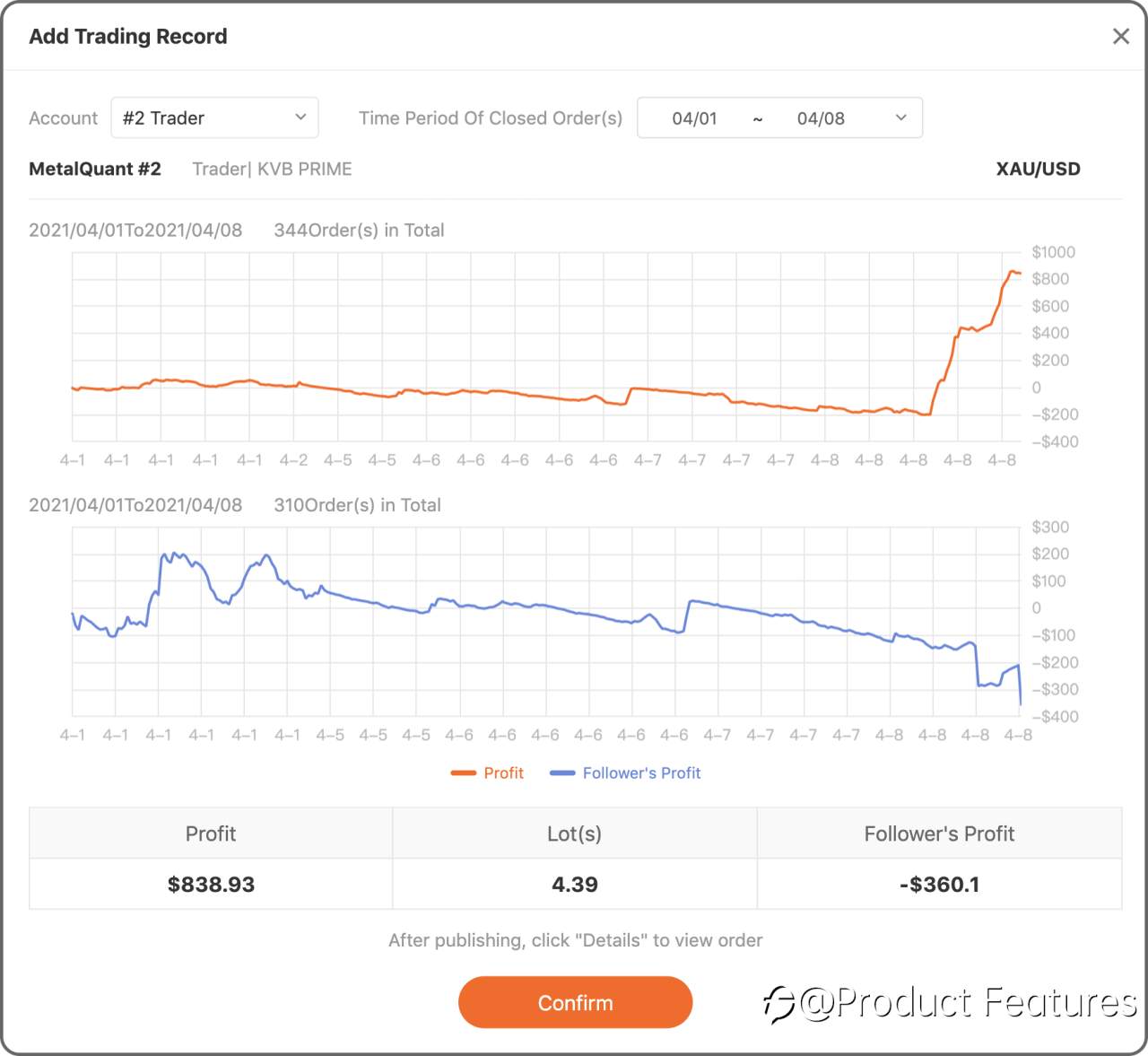
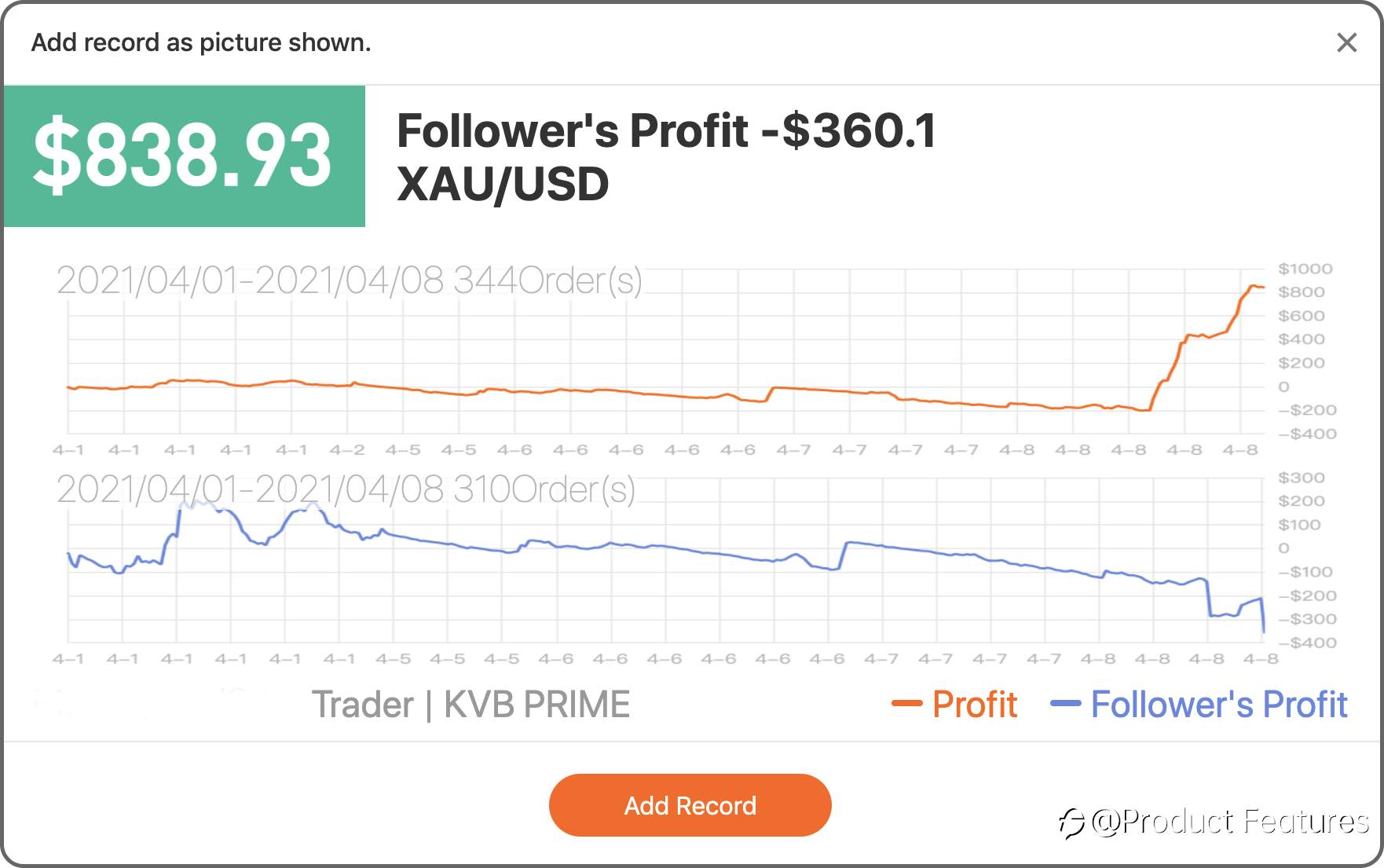
Trading Order: Choose a live account and select orders.
Easy?Go write your first trading notes.
Edited 12 Apr 2021, 17:43
Disclaimer: The views expressed are solely those of the author and do not represent the official position of Followme. Followme does not take responsibility for the accuracy, completeness, or reliability of the information provided and is not liable for any actions taken based on the content, unless explicitly stated in writing.


Leave Your Message Now