


· Views 62,440

经常忘记社区网址?日常电脑端用得多?想最快体验新版本?
现在,Followme 桌面端正式上线!以上这些问题将不再是问题!相对于APP版本和网页端,Followme 桌面端在使用便捷性、功能完整性、性能和速度、安全性四个方面更具有优势!
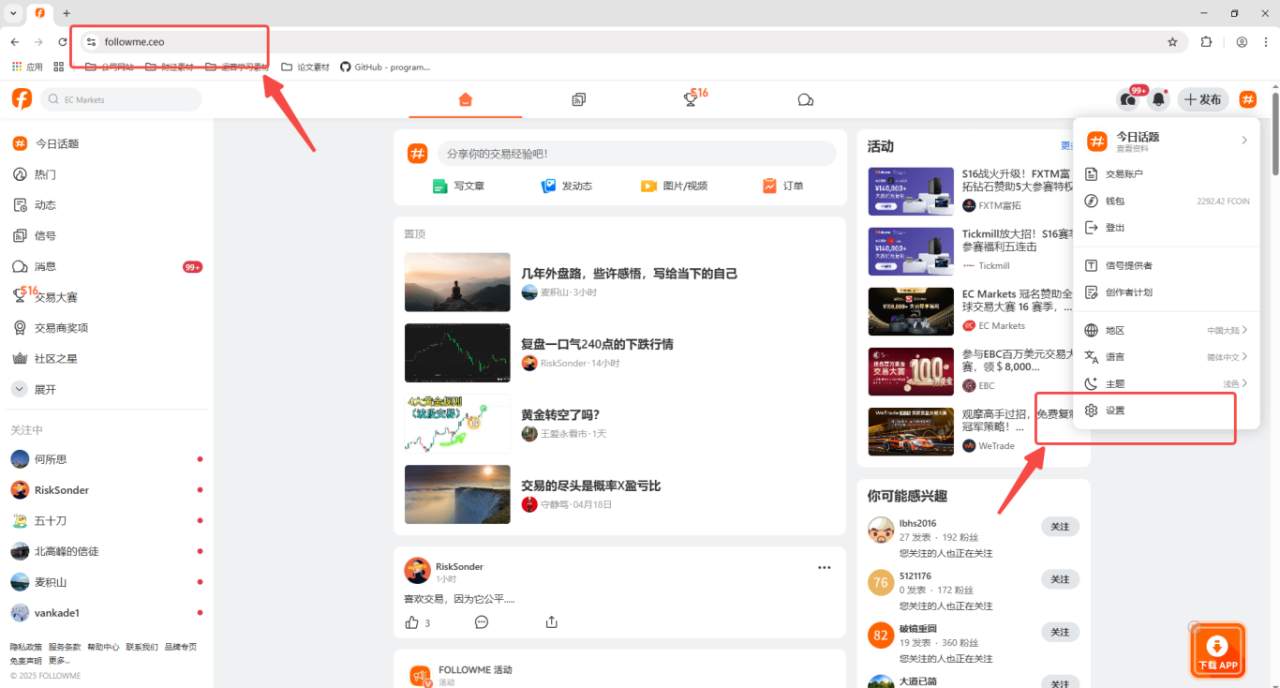
1)、打开社区网页端,点击“个人中心”里的设置;或者直接在电脑的浏览器中输入https://www.followme.ceo/setti...
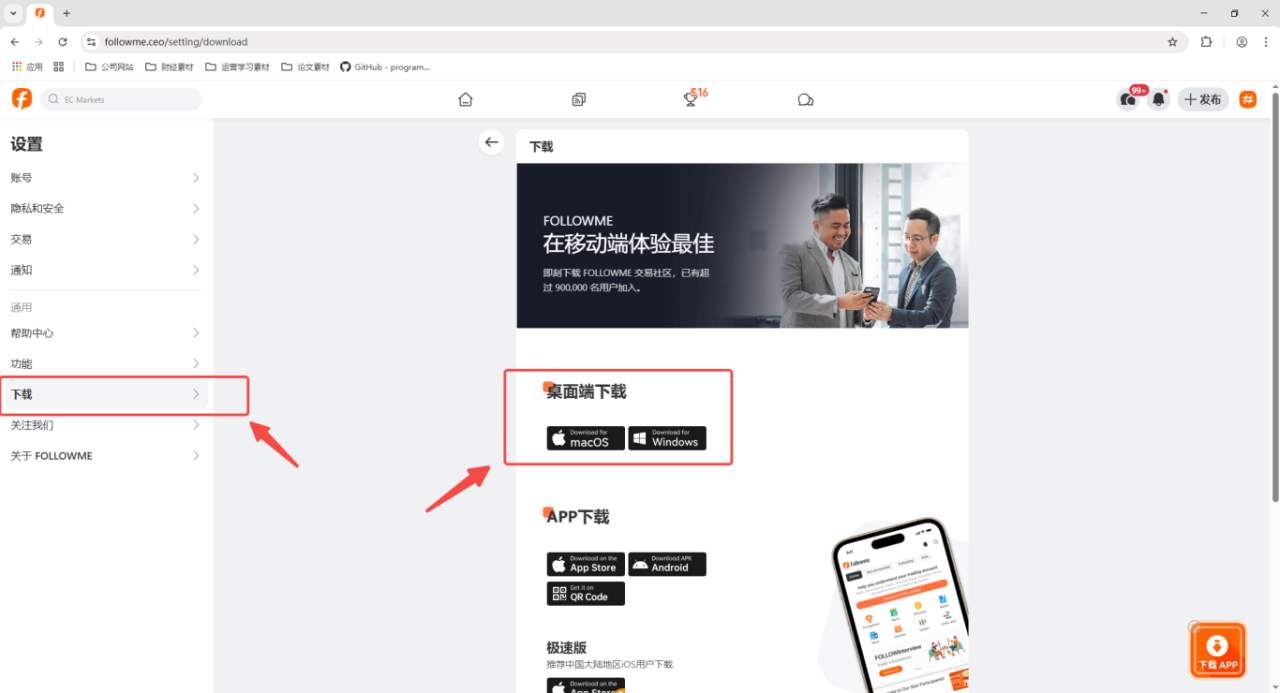
2、找到设置菜单栏里的“下载”按钮并选择符合自己系统的桌面端安装包
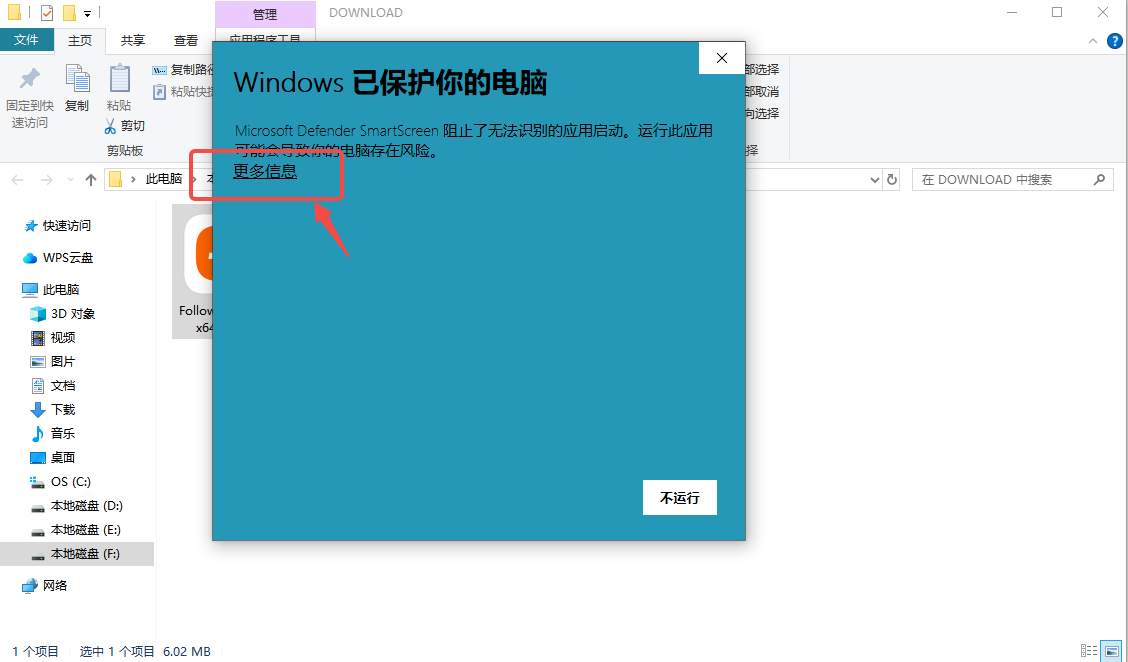
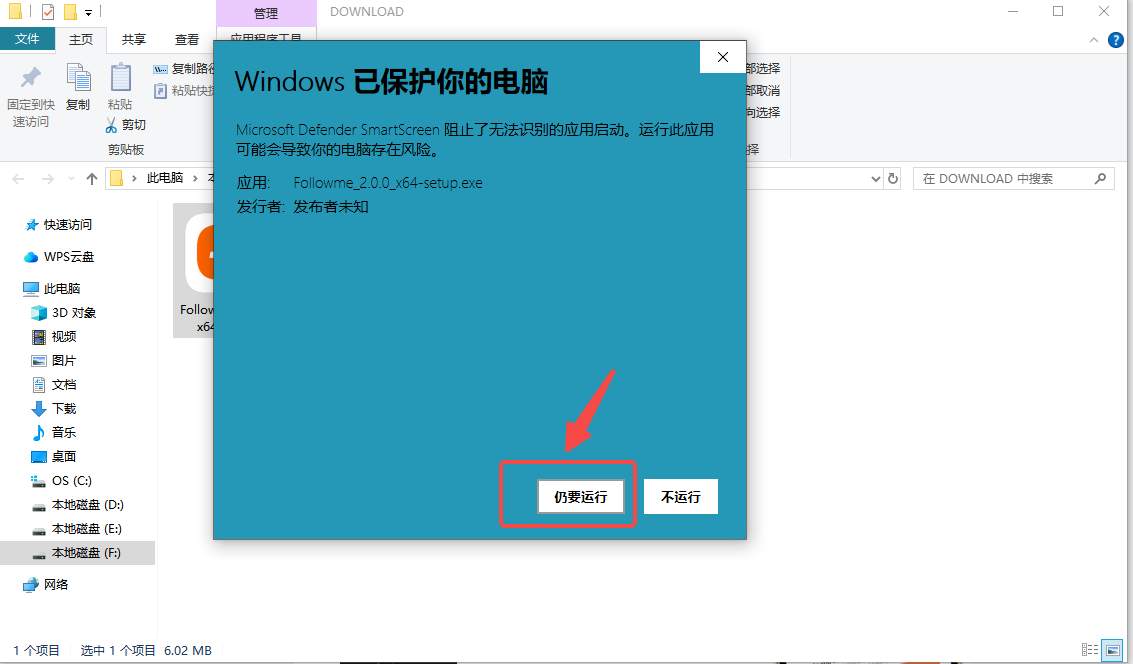
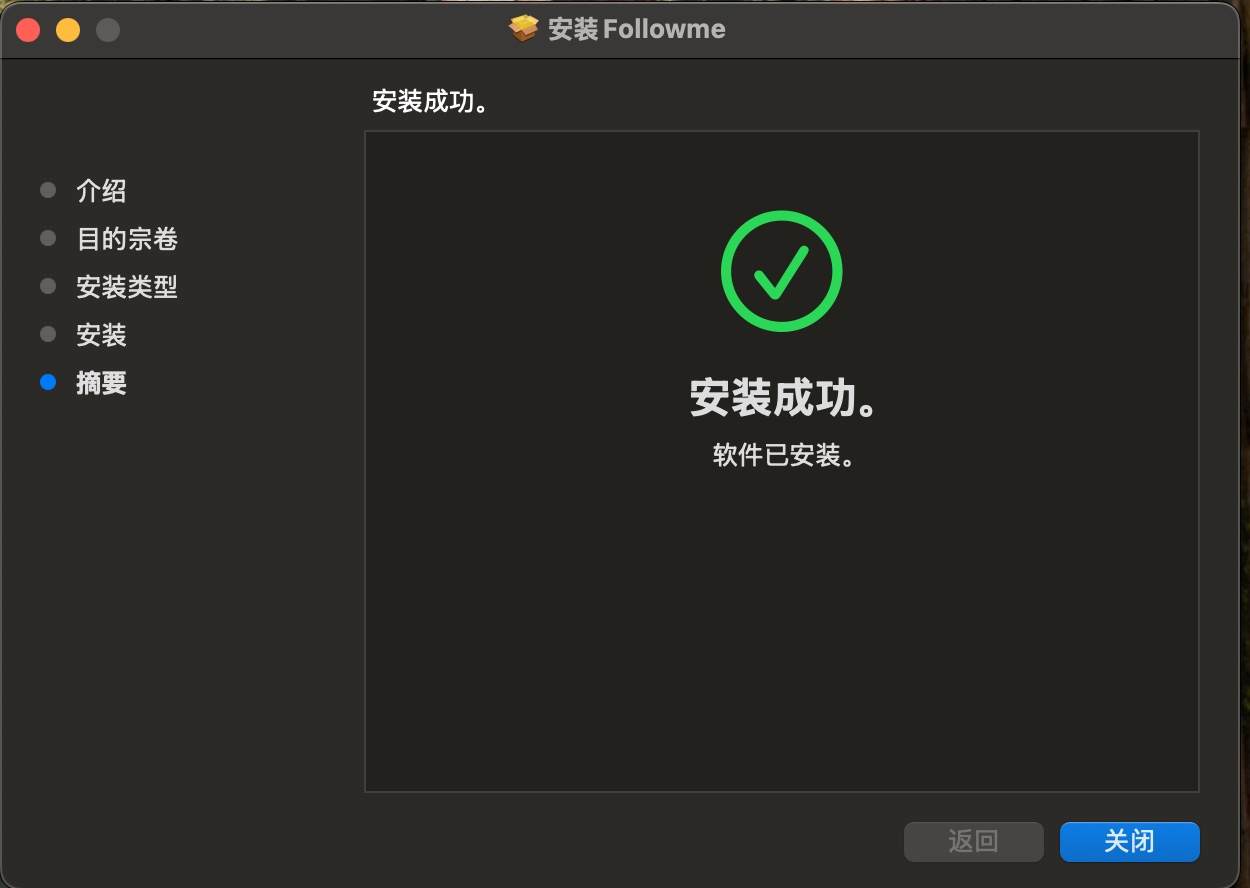
1)、桌面端包装包下载后双击打开并按以下流程安装
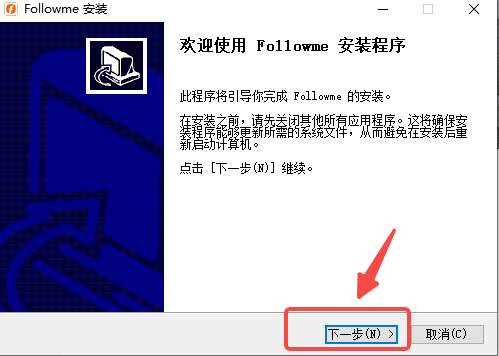
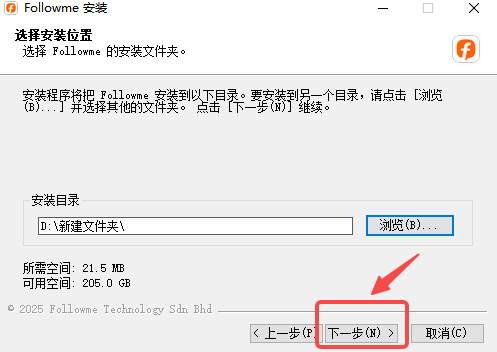
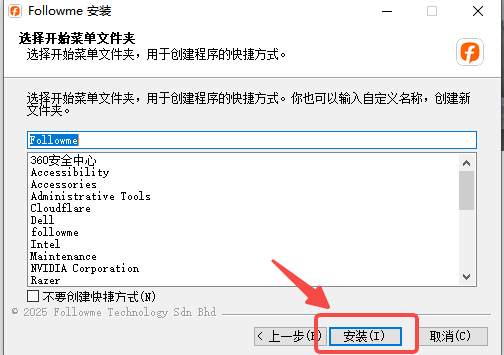
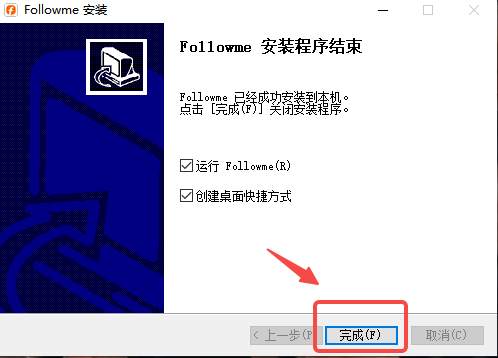
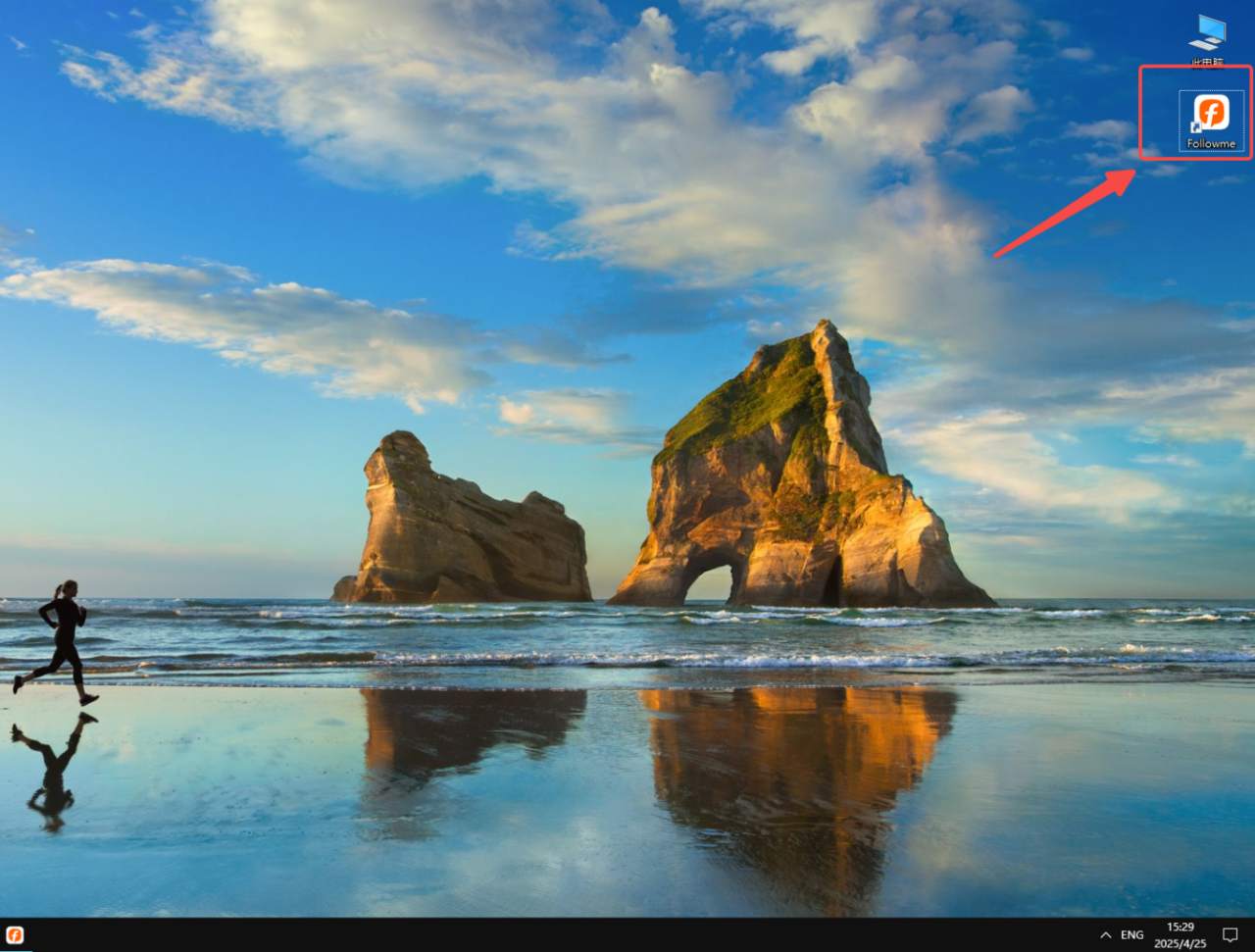
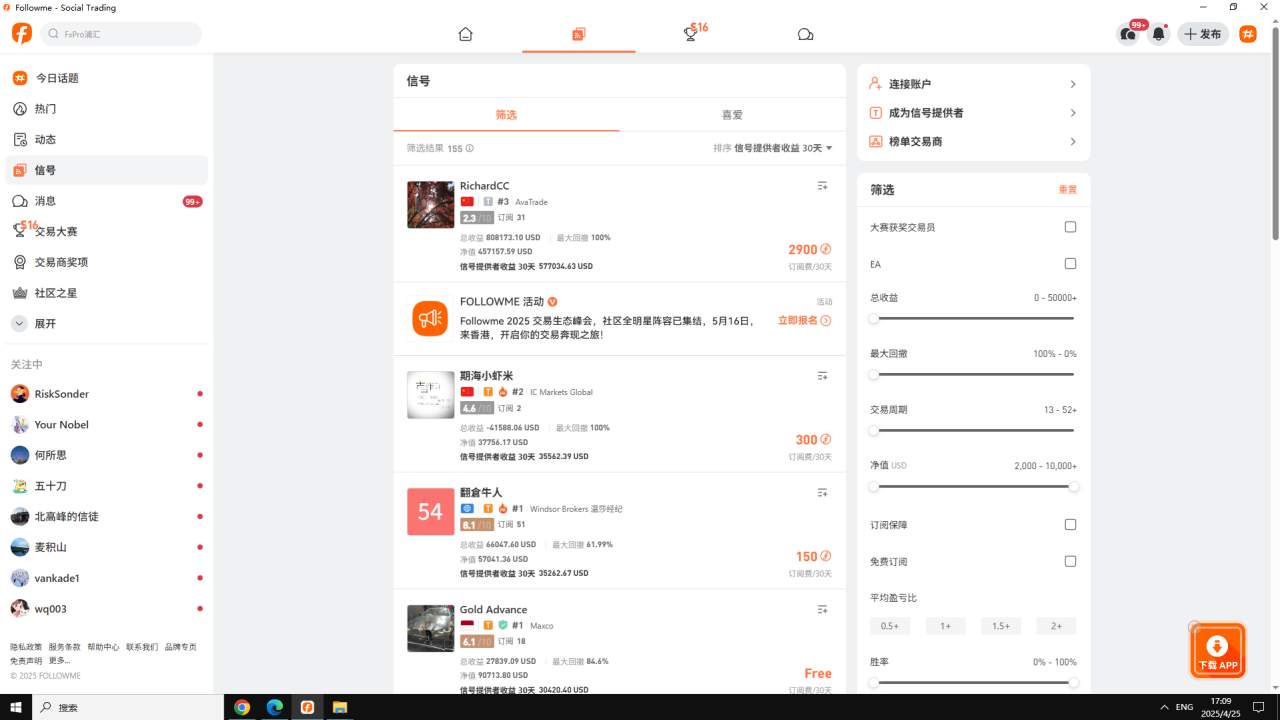
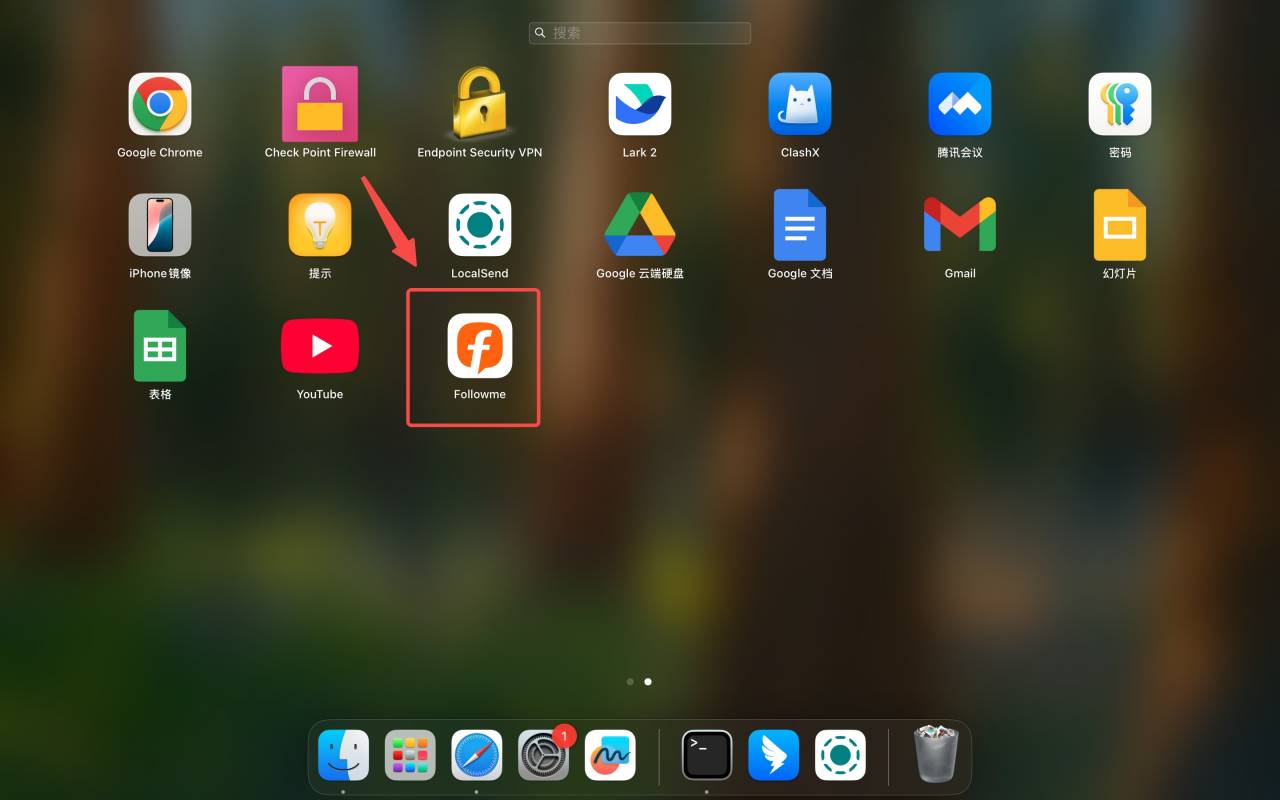
2)、安装完成后,你的电脑桌面就会显示 Followme 了。

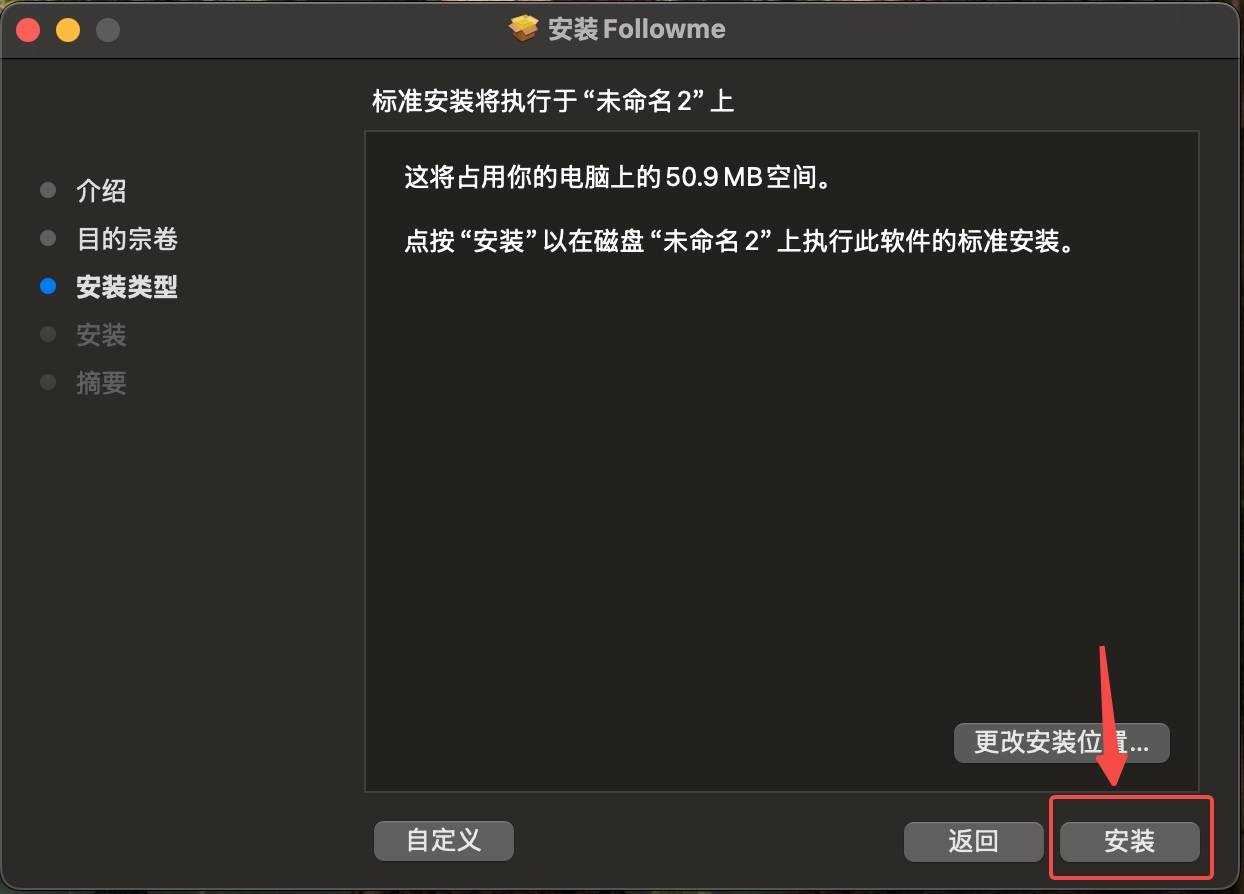
1)、桌面端包装包下载后右键打开并按以下流程安装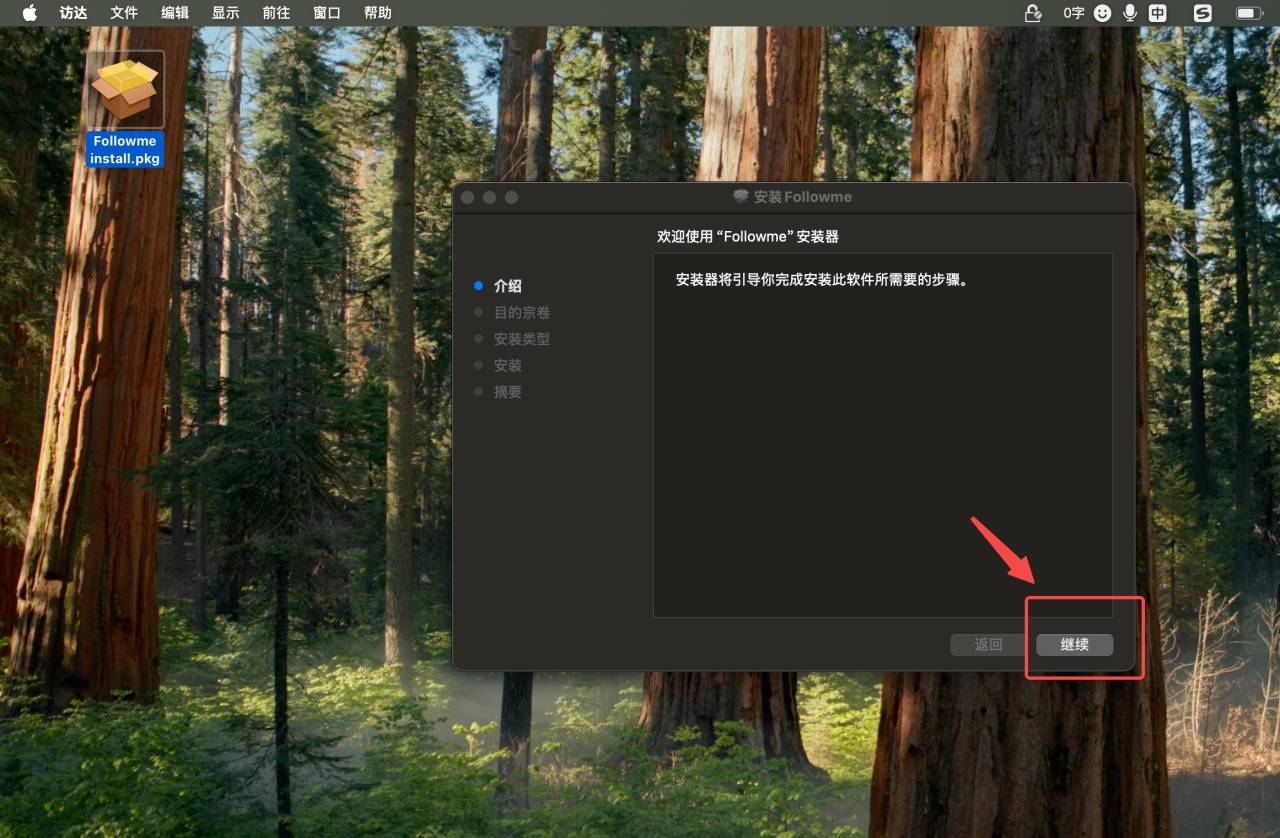
Disclaimer: The views expressed are solely those of the author and do not represent the official position of Followme. Followme does not take responsibility for the accuracy, completeness, or reliability of the information provided and is not liable for any actions taken based on the content, unless explicitly stated in writing.
Like this article? Show your appreciation by sending a tip to the author.

-THE END-